How to Use a Standing Desk: A Sit-Stand Routine (OSHA)
A standing desk helps only if you move. Here is how to set it up and switch postures, using OSHA guidance.
We may earn a commission when you buy through links on this page, at no extra cost to you. This does not change which products we cover. How we make money.
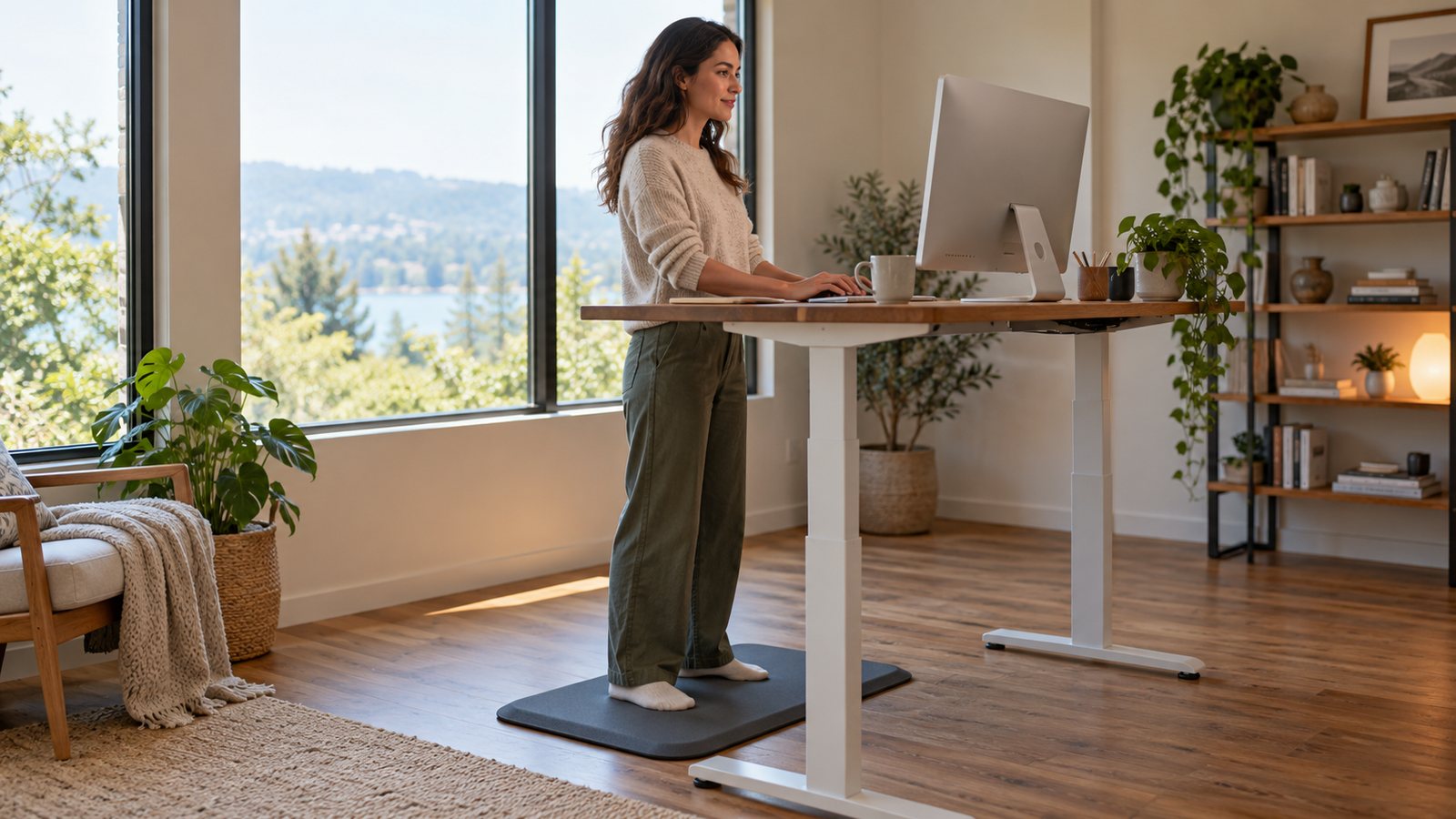
A standing desk is a tool for moving more, not for standing all day. OSHA says even a good posture held for a long time is not healthy, and suggests changing position through the day.
Set two heights
- Sitting: elbows about level with the keyboard, bent 90 to 120 degrees, feet supported. See our desk and keyboard height guide.
- Standing: the same elbow angle, with legs, torso, neck and head about in line and feet slightly apart. You can rest one foot on a support.
- Save each one as a preset if your desk has memory buttons.
Reset the screen
When the desk goes up, your eyes go up too. Keep the top of the screen at or below eye level, as OSHA advises. A monitor on the desk moves with the desk; laptop users may need a stand. See our monitor height guide.
Change position often
OSHA suggests:
- Small adjustments to your chair or backrest.
- Stretching fingers, hands, arms and torso.
- Standing up and walking for a few minutes from time to time.
- Doing tasks such as reading, phone calls and meetings standing.
- A five-minute break from the computer every hour.
Many desks, including the Branch Duo and FlexiSpot E7, list a built-in reminder. Compare them in our standing desk roundup.
Two presets at a glance
| Setting | Sitting (OSHA) | Standing (OSHA) |
|---|---|---|
| Elbows | Bent 90 to 120 degrees, close to the body | Same 90 to 120 degree angle |
| Body | Thighs about parallel to the floor, back supported | Legs, torso, neck and head about in line |
| Feet | Flat on the floor or a footrest | Slightly apart; one may rest on a support |
| Screen | Top at or below eye level | Top at or below eye level |
Related
Frequently asked questions
Should I stand all day?
OSHA says working in the same posture for long periods is not healthy, however good it is. The goal is changing position often.
What is a good standing posture?
OSHA describes legs, torso, neck and head about in line and vertical, feet slightly apart, with the option of resting one foot on a support.
How often should I take breaks?
OSHA suggests a five-minute break from computer tasks every hour, plus short micro pauses.